The Reporting Dashboard is designed to provide account admins and managers with insights into the performance of their review and approval workflows to identify bottlenecks and improve efficiency. Reports can also help quantify time spent on projects to more accurately allocate budgets and resources.
Account Reporting Page
The Reporting Dashboard provides both a quick overview of the current state of all Reviews as well as an interactive graph for analyzing multiple Review metrics over a specified time frame. The reporting dashboard can be accessed under Settings > Reporting.
Note that this functionality is only available for Advanced plans and above.
Review Overview Section
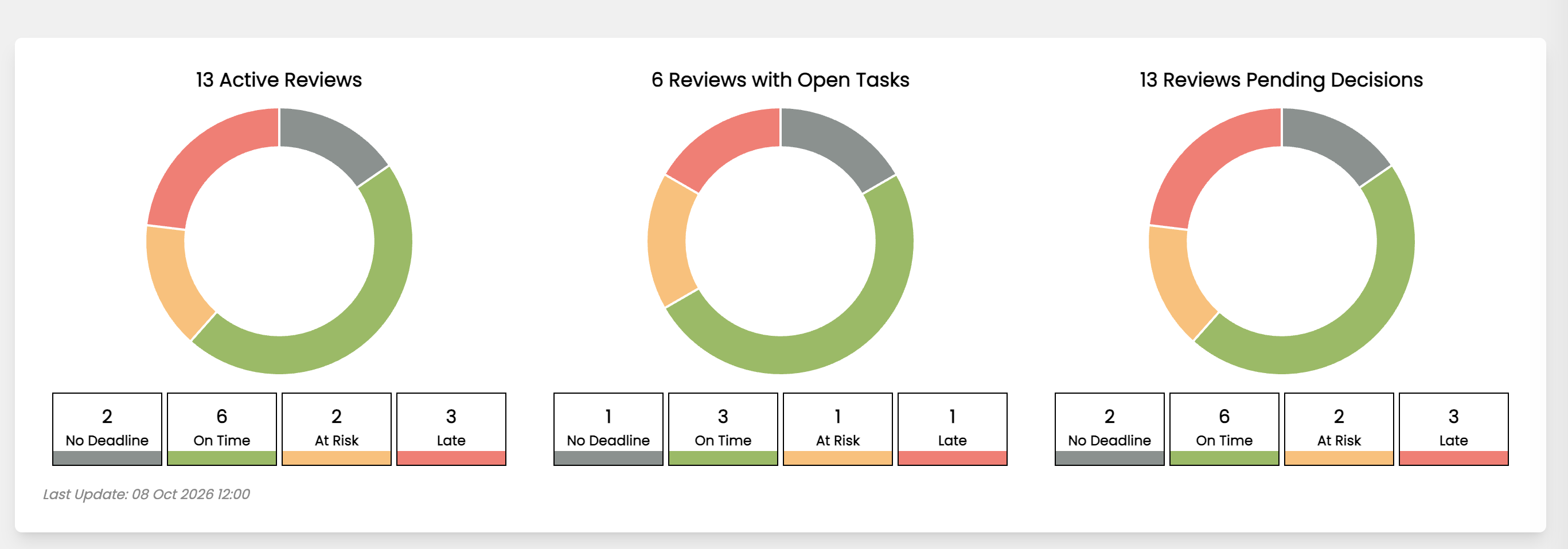
The top section of the reporting page contains an “Overview” snapshot of the status of all Reviews. This section contains three doughnut graphs and numeric values for “All Active Reviews”, “Reviews with Open Tasks”, and “Reviews with Pending Decisions”.
The numeric values break down into Reviews without a set deadline (“No Deadline”), Reviews within their deadline (“On Time”), Reviews within a day of their deadline (“At Risk”), and Reviews past their deadline (“Late”).
Analytics Section
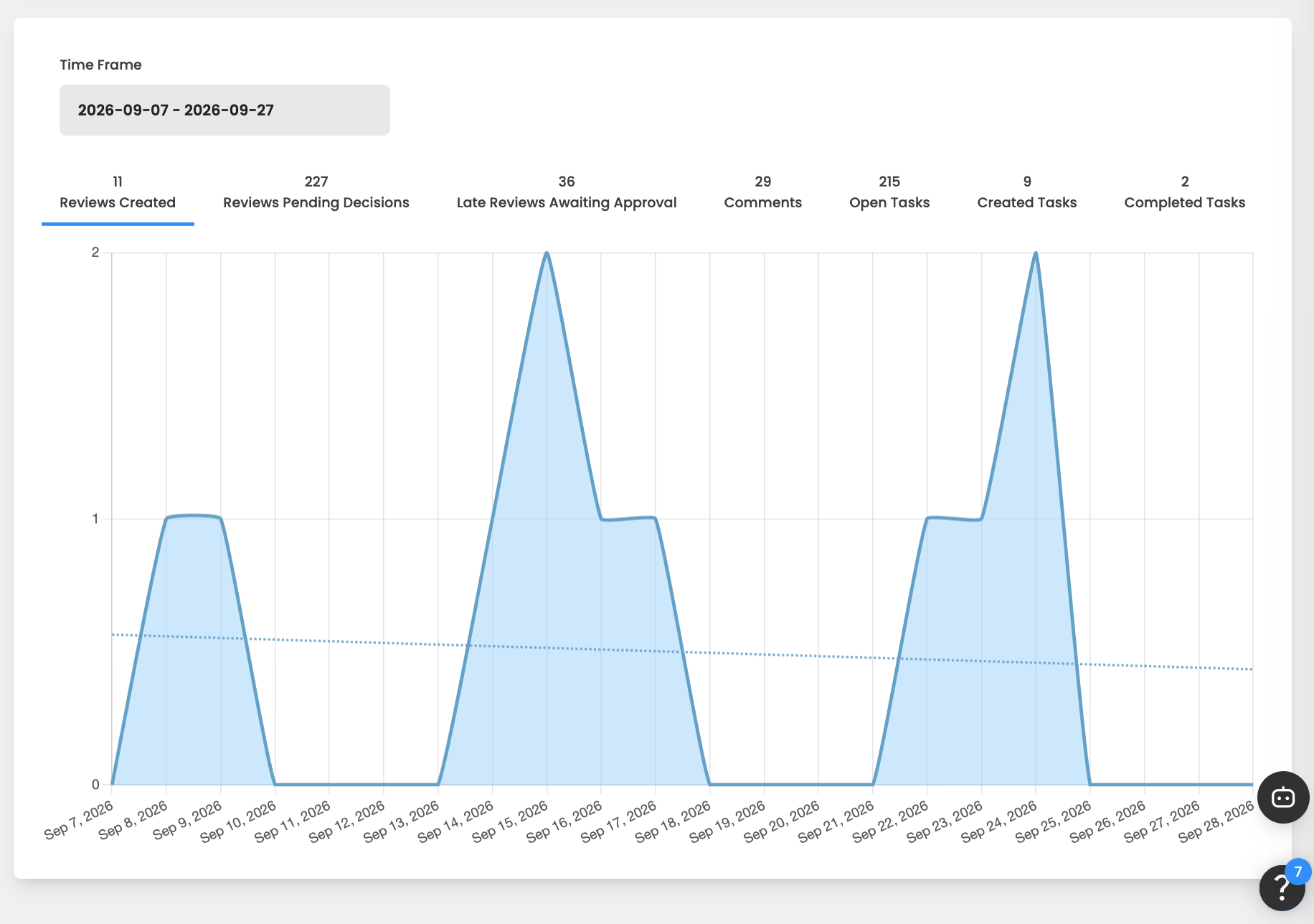
The bottom section of the reporting dashboard includes a dynamic analytics graph for diving deeper into Review performance metrics over a specified time frame.
The specific metrics to be displayed in the graph and the desired time frame can be selected in the graph header. These metrics include:
-
Reviews Created - The number of new Reviews created each day.
-
Reviews Pending Decisions - The number of Reviews on each day that has a pending status.
-
Late Reviews Awaiting Approval - The number of Reviews on each day that have an overdue deadline and a status that is "Pending".
-
Comments - The number of new comments/replies added each day.
-
Open Tasks - The total number of open tasks in all Reviews.
-
Created Tasks - The number of new tasks that were created each day.
-
Completed Tasks - The number of tasks that were completed each day.